

Accessibility & Visual Design
Microsoft Case Study
Accessibility & Visual Design
Microsoft Case Study
Sometimes you need accessibility and visual engagement in a clean, modern design that meets WCAG Accessibility Standards.
Explore our work below.
The Background
Microsoft is a global technology leader with a strong focus on security and user empowerment. As part of their commitment to cybersecurity awareness, their team set out to reimagine three foundational security training courses.
While the existing courses made complex topics approachable, the experience felt dated and overly dense. Content was presented in a slide-heavy format with limited motion and minimal visual hierarchy, making it difficult for learners to stay engaged. The courses lacked memorable moments and didn’t reflect the dynamic, modern tone expected of today’s learning experiences, creating an opportunity for a more engaging and impactful redesign.
The Ask
Microsoft was looking for more than a visual refresh, they wanted to transform the learning experience. Their goal was to redesign three connected courses so each could stand on its own while still contributing to a cohesive journey.
They envisioned a modern, story-driven experience that balanced clarity with engagement and seriousness with approachability. The content needed to feel cleaner, more focused, and less overwhelming, with data presented in a way that empowers learners. They also wanted to introduce light gamification, reinforce a culture of shared responsibility around security, and ground the experience in a Tell–Show–Do model, all while meeting AA Advanced Accessibility standards.
The Work
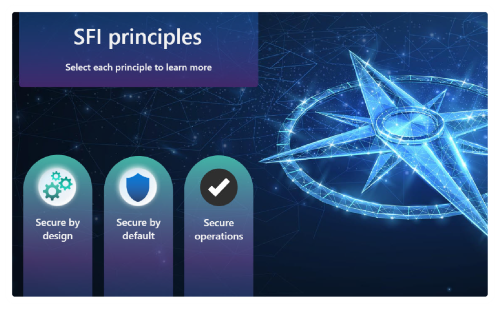
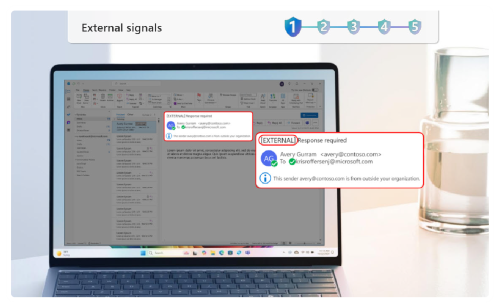
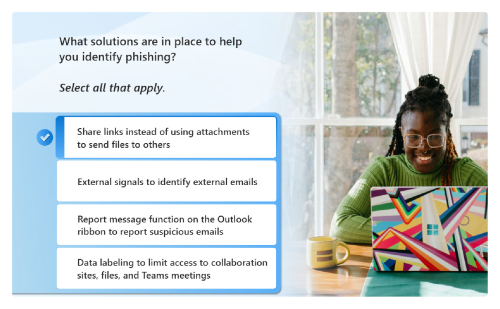
We collaborated with the Microsoft team and developed a cohesive learning experience that combined strong storytelling, modern visuals, and intuitive interactions. Content was restructured to blend concise instruction with realistic scenarios and interactive practice and motion.
Accessibility was embedded throughout, ensuring every learner could fully engage with the content and confidently apply what they learned in both work and daily life. Using Articulate Storyline tools such as the built-in Accessibility checker, ensuring focus order, adding descriptive alt text to bring meaning to critical screenshots, and ensuring color contrast, we met WCAG 2.0 AA Standards and tested these courses internally using NVDA Screen Reader technology. We then submitted each course through Microsoft's rigorous internal UAT testing process. Each course was given its own identity while contributing to an overarching narrative, helping learners connect concepts across the full training journey.
The Project Team

Our work with Microsoft involved creating a learning experience for a global team of over 185,000 employees. From an instructional design perspective, a big part of this was to present the information in a way that was both approachable and flowed logically. We used conversational language, storytelling, and a bit of humor to make complex topics feel relatable. Most importantly, we leaned heavily into accessibility. We wanted to make sure the content was clear, inclusive, and easy to follow for every single employee, regardless of their location or needs. Working with Microsoft is always a rewarding challenge. I enjoy helping to transform their large scale e-learning projects into something that feels like a more personal training session.
Laura Eldredge
Role on project: Instructional Designer

This project was especially interesting because it combined highly technical content with a strong visual design direction. My focus was on making sure the experience stayed intuitive and accessible, without losing the integrity of the design. With information this critical, it’s not just about how it looks, it’s about whether every learner can truly engage with it and apply it. I wanted to ensure that regardless of how someone navigates the course, they’re able to access, understand, and use the content with confidence.
Jolie Wright
Role on project: Developer
Curious what accessibility means for your project?
Select the button below for a practical checklist to help guide your conversion and set your project up for success.